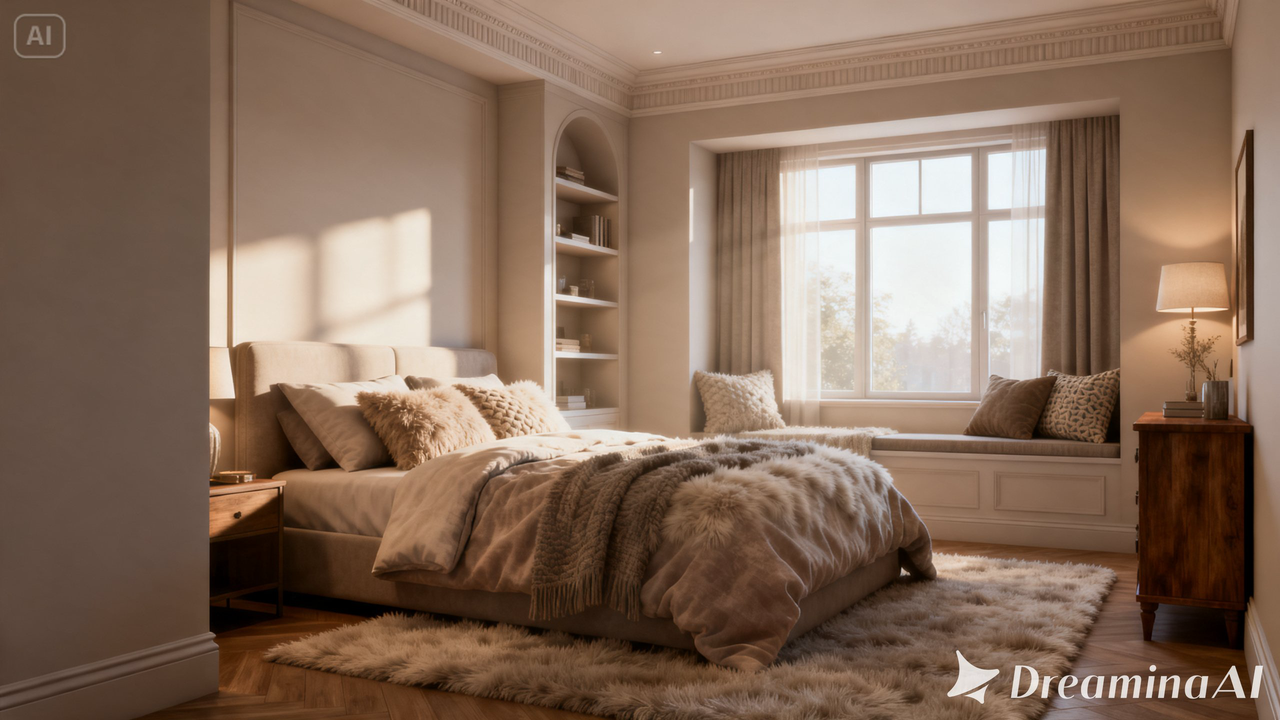
A beautifully rendered interior design can show off every detail, the texture of a rug, the way light falls across a countertop, the exact placement of furniture. But a still render still asks a viewer to imagine what it would feel like to actually walk into that space, and that imaginative leap is exactly where interest can quietly slip away. Image to video tools remove that gap, turning a static room design into a cinematic reveal that feels like actually stepping inside. Dreamina, powered by its most advanced video generation model, Seedance 2.5, gives designers a way to make that shift without a full walkthrough render pipeline.
Why a room render leaves something on the table
Interior design is experienced spatially, how light shifts as you move, how a space opens up as you walk further in. A static render can only capture one angle of that experience. Motion is what finally lets a room reveal itself the way it would in person, rather than as a single frozen viewpoint that leaves most of the space up to imagination.
What makes an interior reveal feel cinematic
The best interior reveals have several common elements:
- A smooth and slow camera movement rather than a swift one
- Lighting changing depending on the angle from which the space is viewed
- The right feeling of proportion and scale
- Small amount of movement such as curtains fluttering
Making your room come alive with Dreamina
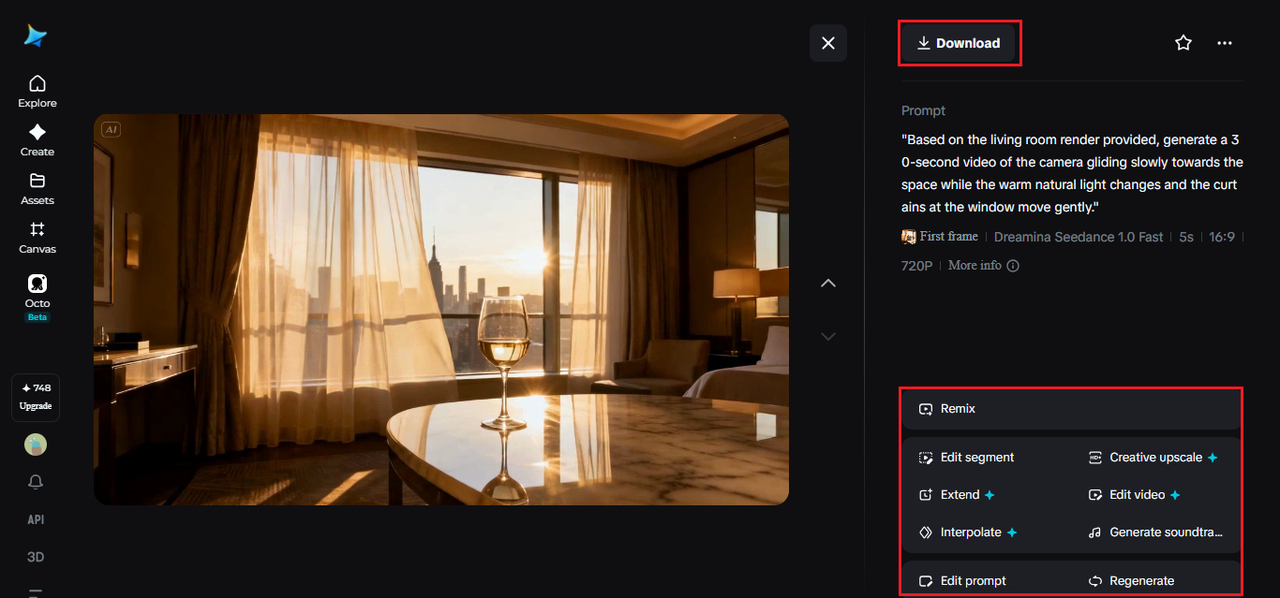
Step 1: Add a render and give the prompt
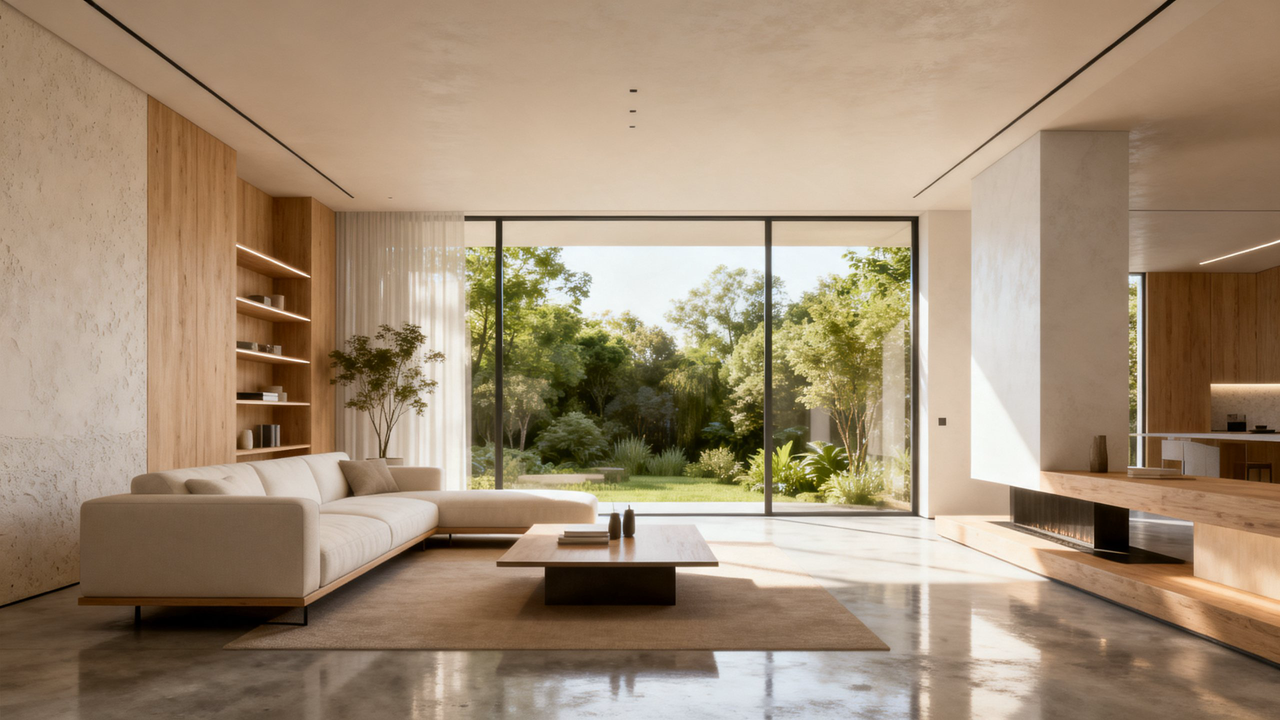
Go to Dreamina and click on “AI Video”. In the window that opens, click on “Add reference image” and upload your render of the room. Then, describe the camera movements.
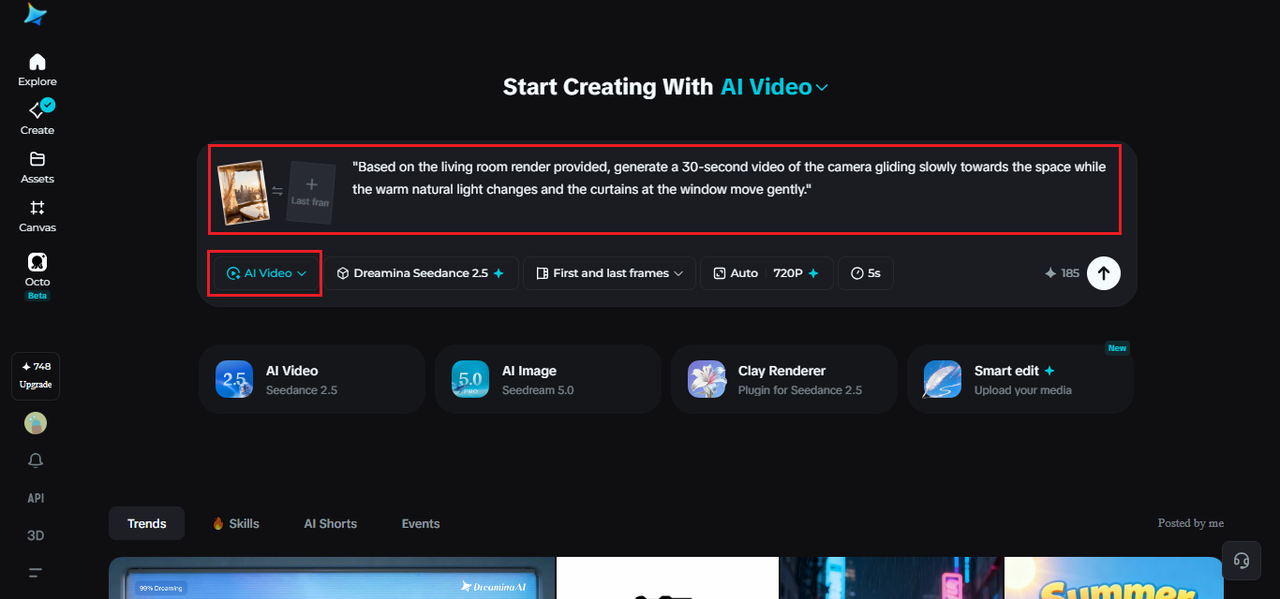
To make a 30-second reveal, use the following prompt: “Based on the living room render provided, generate a 30-second video of the camera gliding slowly towards the space while the warm natural light changes and the curtains at the window move gently.”
Step 2: Generate with Seedance 2.5
Select the Seedance 2.5 model, choose your video length, then pick an aspect ratio, 16:9 for a portfolio site or client presentation, 9:16 for social sharing. Click Dreamina’s generate icon and let the space come to life.
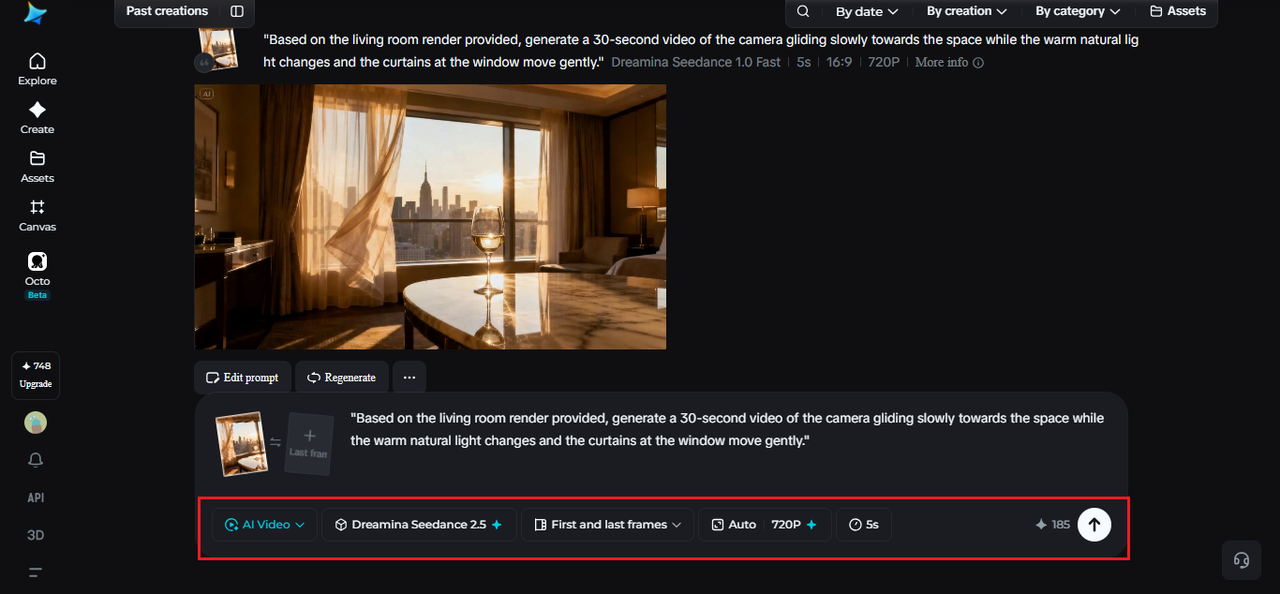
Step 3: Refine and export the finished reveal
Use Dreamina’s editing tools to polish it. Upscale for a sharper, more detailed finish, generate a soundtrack for a calm, ambient audio layer, then export and share it with clients or across your portfolio.
What Seedance 2.5 brings to interior motion
Seedance 2.5, Dreamina’s most advanced video generation model, is well matched to the smooth, controlled camera movement interior reveals depend on.
Camera angles that extrapolate naturally
Modified spatial perspective handling adjusts camera position while reasonably extrapolating detail not visible in the original render, useful when a reveal needs an angle the source image didn’t fully capture.
Realistic material texture
Comprehensive quality improvements reduce the flat “AI look” and add realistic material texture, so surfaces like wood, fabric, and stone read convincingly as the camera moves past them.
Room for a full walkthrough
Extended duration up to 180 seconds in Ultra-long mode supports a full multi-room walkthrough, giving a larger space enough time to be properly explored.
Consistency across a longer clip
Reduced cumulative quality loss keeps longer reveals looking consistent start to finish, and local editing allows a single furniture piece to be adjusted without regenerating the whole scene.
Writing prompts that guide the camera naturally
Describing the camera’s path, gliding forward, panning slowly, pausing on a focal point , gives the model a clear sense of pacing, which matters far more in a room reveal than in most other kinds of content.
Choosing the right length for the space
A shorter clip works well for a single-room highlight meant for social media, while a longer Ultra-long version suits a full property walkthrough where multiple spaces need room to be shown properly.
Sequencing multiple rooms in one walkthrough
In the case of multiple rooms that have outstanding features, it is better to consider each individual room as a separate reveal sequence rather than attempting to reveal the entire house at once. The living room reveal comes first, then the kitchen reveal, followed by the bedroom reveal. The viewers are able to better absorb a few short reveal sequences rather than one lengthy sequence trying to capture everything at once.
Mistakes that undercut a room reveal
A few habits tend to weaken the effect:
- Moving the camera too quickly, which can make the space feel smaller than it is
- Overcomplicating the prompt with too many lighting changes at once
- Skipping a clear ending point, leaving the reveal feeling unresolved
- Choosing a starting angle that hides the room’s best feature instead of leading with it
Where animated room reveals get used
This format shows up in real estate listings, interior design portfolios, renovation marketing, and furniture brand campaigns, where a space that reveals itself in motion tends to feel far more convincing than a static render sitting in a gallery. Real estate agents in particular have found it a compelling way to market properties still under construction.
A room design was always meant to be walked through, not just looked at, motion finally gives it that chance. With Dreamina and the spatial precision behind Seedance 2.5, a rendered space can finally feel like somewhere worth stepping into, long before construction or staging is even finished.